Your queue, ready
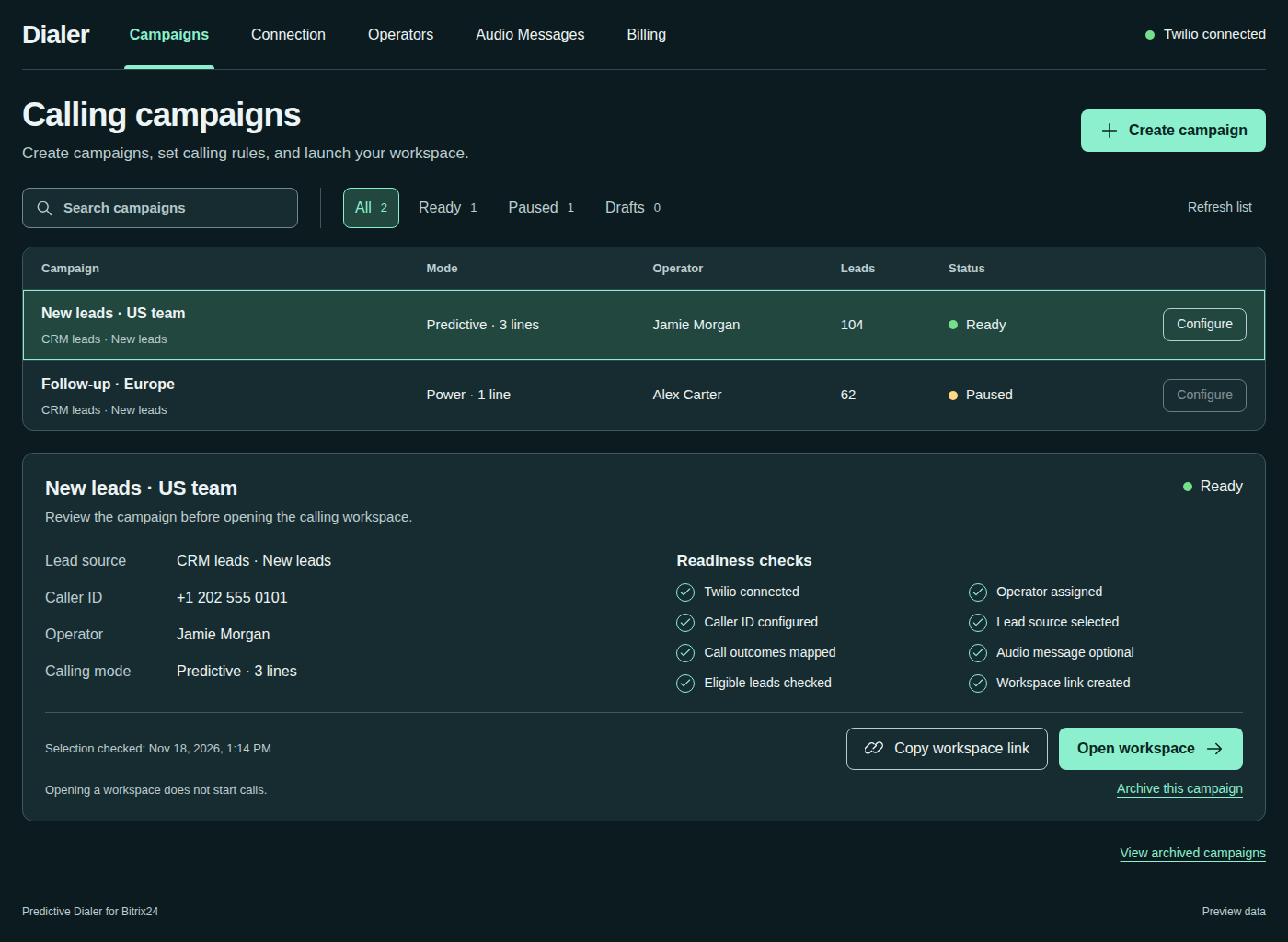
Select CRM lead stages, assign an operator and choose a calling mode. Preview the queue before you start.
Power&Predictive Dialer turns your CRM leads into a calling queue, with Twilio connecting every call.
Request a demo14 days free. No card required.
Twilio usage is billed separately.

Power One lead at a time, at your pace.
Predictive Up to 10 parallel lines, one conversation.
One license. Both modes.Your queue, your customer and the next action, together. Give each operator a workspace built around the conversation.
Select CRM lead stages, assign an operator and choose a calling mode. Preview the queue before you start.
Add a note and select an outcome after the call. Keep the next action connected to the original lead.
Enable incoming calls at installation or later in Connection settings. Assigned operators answer in the app’s tab of the Bitrix24 call card.
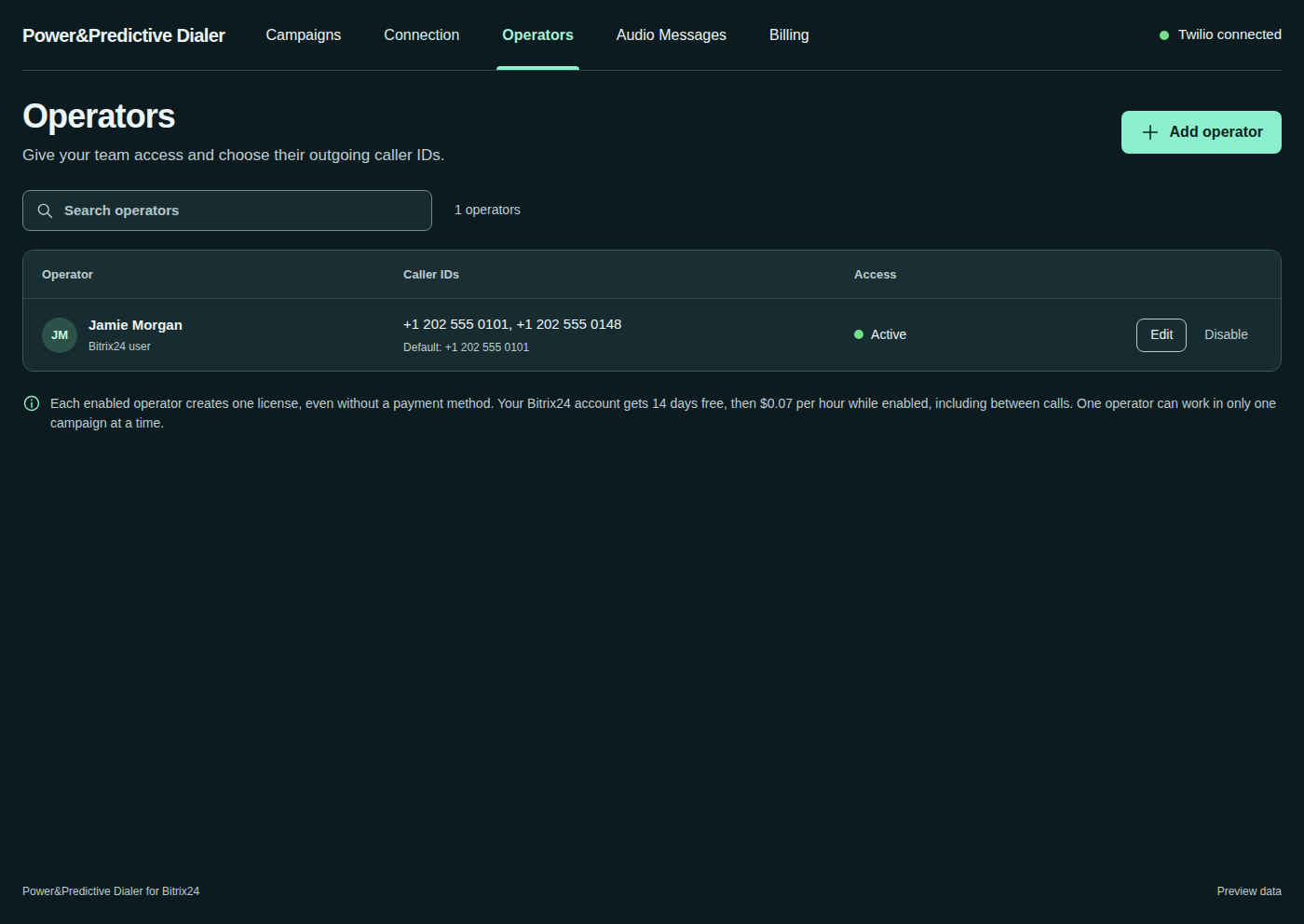
Power, Predictive and incoming calls share the same operator license. Add or disable operators from one place.
Connect your phone service once. Then build a calling routine around the leads already in Bitrix24.
Add your Twilio credentials and calling number. Choose whether to receive incoming calls in Bitrix24.
Pick CRM lead stages, assign an enabled operator and set Power or Predictive mode.
Open the workspace, check the queue and start when you are ready. Opening it does not place calls.
Record the outcome and notes in CRM, then move to the next lead or a planned retry.
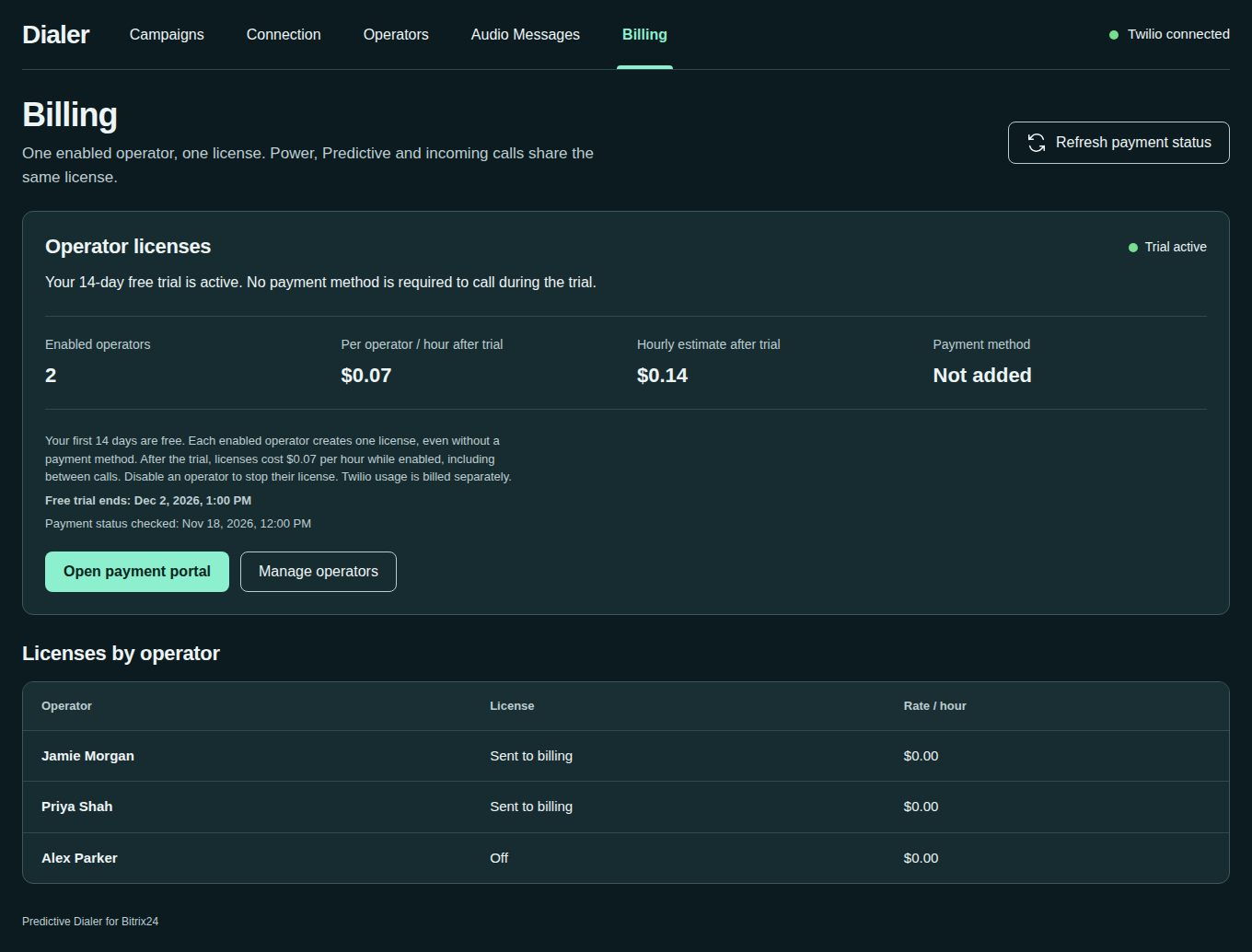
Try operator licenses free for 14 days. No payment method is needed to create a license or use the trial.
$0.07
USD per connected license / hour
after your free trial
One license per operator. Power + Predictive + incoming calls.
Twilio numbers and usage are billed separately, including during the trial.
Billing runs continuously while a license is connected, including nights, weekends and idle time. It does not depend on whether the operator is working, online or making calls. Disable the operator in the app to disconnect their license and stop future license charges.
One connected license costs $50.40 for a full 30-day month (720 hours) after the trial.
Your Bitrix24 account has one shared trial end date. Adding operators or reinstalling the app does not restart it.
Have a question about your setup?
Talk it through with EMCsoft.
A Bitrix24 account with CRM leads and permission to install apps, a Twilio account with a suitable calling number, and a browser with microphone access. EMCsoft can help you arrange access and connect the app.
Power calls one lead at a time. Predictive calls a configurable wave of up to 10 leads. When one person answers, the other lines stop and the operator continues that conversation.
Yes. Enable incoming calls during installation or in Connection settings, then assign the number to an enabled operator. The operator answers through the app’s tab inside the Bitrix24 call card.
No. Operator licenses are created without a payment method. The Bitrix24 account has one shared 14-day trial. Twilio may require its own funded account; Twilio usage is separate from the app license.
The license rate becomes $0.07 USD per hour for every connected license. A valid payment method is required to keep placing calls after the trial. Connected licenses continue accruing charges even if new calls are blocked. Disable operators you no longer need to disconnect their licenses.
No. Billing runs for the entire time a license is connected, 24 hours a day, whether or not the operator is working or making calls. Three licenses connected for a full 30-day month (720 hours) cost $151.20 after the trial, plus separate Twilio charges.
The workspace saves notes and the selected call result to the Bitrix24 CRM lead. Map your outcomes to the next CRM action when setting up the campaign.
Tell us about your Bitrix24 account and calling team. We will get in touch to arrange a demo of Power&Predictive Dialer.

14 days free for operator licenses.
No card required. Twilio usage is separate.